

How to Link Your HoYoverse Email Account

Learn how to link a HoYoverse email account to Genshin Impact, Honkai: Star Rail, or Zenless Zone Zero for safer login, easier account recovery, and better cross-device access.

All-In-One Bundle
$160.8
$200.94-$40.14Blessing of the Welkin Moon
$3.82
$4.99-$1.1760 Genesis Crystals
$0.77
$0.99-$0.23300+30 Genesis Crystals
$3.6
$4.99-$1.39
If your game account was created with Google, Facebook, Apple, Game Center, or Guest Mode, it’s worth linking it to a HoYoverse email account as soon as possible. Once linked, your account gets a more reliable login method, which can help reduce the risk of losing access when you switch phones, reinstall the game, or run into problems with a third-party login.
Why Should You Link a HoYoverse Email Account?
Guest accounts are usually stored only on the current device. If you change devices, reinstall the game, clear app data, or lose your phone, an unlinked Guest account may be difficult or even impossible to recover.
If you currently log in with Google, Facebook, Apple, or Game Center, linking an email gives you another way to verify and access your account. If your third-party login stops working, loses authorization, or has trouble on a new device, you can still try to sign in and manage your account through the HoYoverse account system.
After linking your email, you can use the same HoYoverse account across supported devices and platforms. It also makes account management clearer and more secure.
Method 1: Link Your Email on the HoYoverse Website
This method works for Genshin Impact, Honkai: Star Rail, and Zenless Zone Zero. It is the recommended option if you prefer managing your account through a browser.
Open account.hoyoverse.com and sign in with the game account you are currently using.
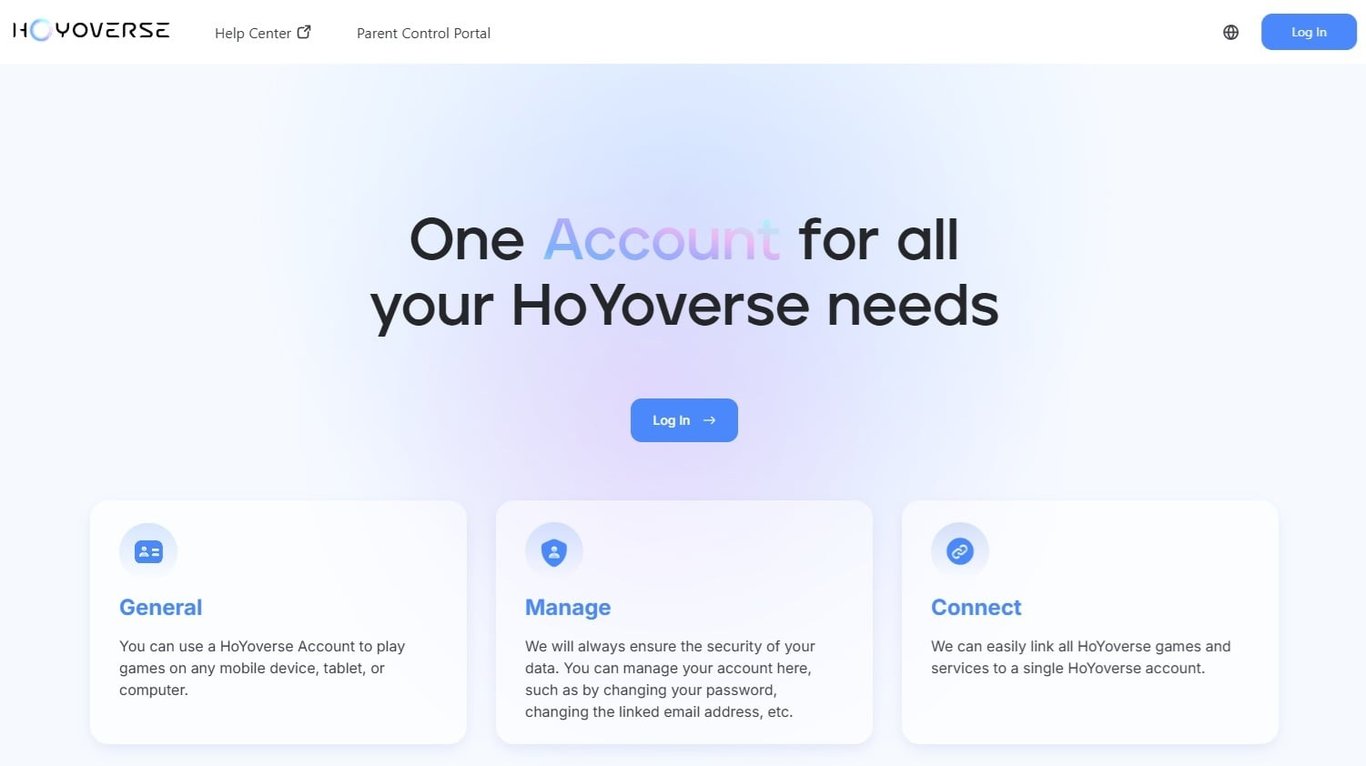
Go to the Personal Information page.
Find the Email section and click Link.
Enter the email address you want to link and request a verification code.
Enter the verification code, then follow the on-screen instructions to set your account password.
Once the process is complete, that email address can be used as a login method for your HoYoverse account.
Method 2: Link Your Email Through the In-Game User Center
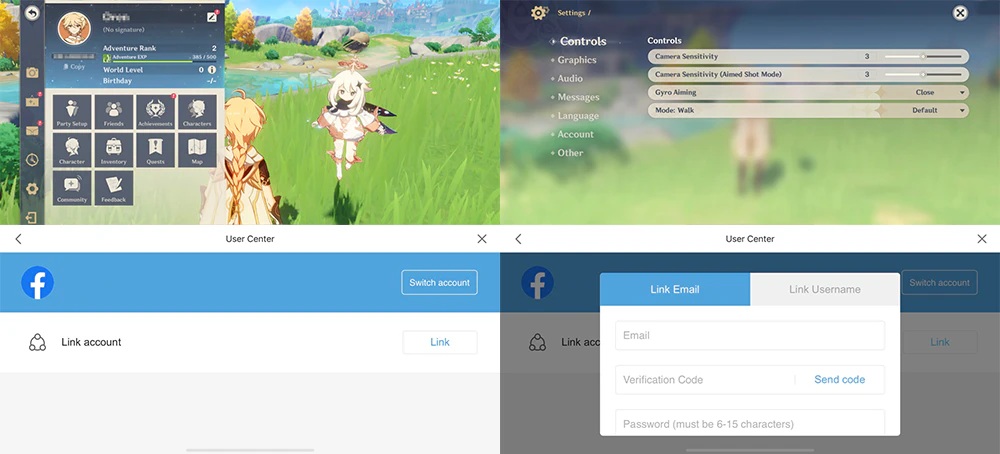
You can also complete the process directly in the game.
Genshin Impact:
Open the Paimon Menu → Settings → Account → User Center
Honkai: Star Rail / Zenless Zone Zero:
Open the Menu → Settings → Account → User Center
Once you are in the User Center, find the Email section, tap Link, then follow the prompts to enter your email address, verification code, and password.
Important Notes
For account security, do not link an email address you may lose access to later. Once an email is linked, changing it may be limited by the system and is not something you should do often. Use a secure email address that belongs to you and that you can access long term.
In most cases, one email address can only be associated with one HoYoverse account.
If the email address has already been registered or linked to another HoYoverse account, the system may tell you that the email is already in use. In that case, use another available email address, or check whether that email is already connected to your original account.
If you are still using a Guest account, link it first. Guest accounts are much harder to recover after device loss, game reinstallation, data clearing, or system errors. In some cases, they may not be recoverable at all.
After linking your email, keep your email account, HoYoverse password, and verification methods secure. Never share your password, verification code, or login details with anyone, as doing so may put your account and in-game items at risk.
Whether you play Genshin Impact, Honkai: Star Rail, or Zenless Zone Zero, linking a HoYoverse email account is an important step for protecting your game account. This is especially important if you use third-party login or Guest Mode, since linking an email can help prevent account access issues when switching devices, reinstalling the game, or losing access to a login method.