
Playstation Gift Card

Playstation Gift Card
5.01 evaluations

Invite Friends
Win more coupon rewards
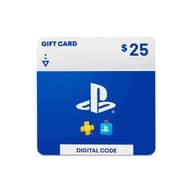
$25 PlayStation Gift Card
$21.82
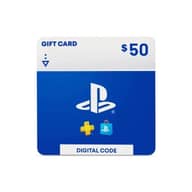
$25-$3.18$50 PlayStation Gift Card
$43.65
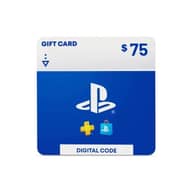
$50-$6.35$75 PlayStation Gift Card
$65.47
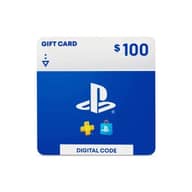
$75-$9.53$100 PlayStation Gift Card
$89
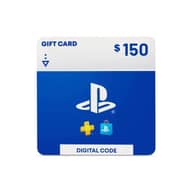
$100-$11$150 PlayStation Gift Card
$137.5
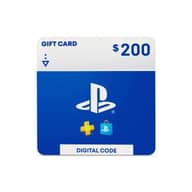
$150-$12.5$200 PlayStation Gift Card
$186
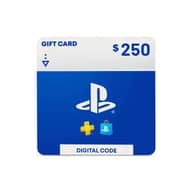
$200-$14$250 PlayStation Gift Card
$234.5
$250-$15.5
Top-up Instructions
Add funds to your US PlayStation Network wallet in minutes. Buy a PlayStation Store Gift Card (US) on KeyGold and use it for PS5 and PS4 games, add-ons, in-game currency, and PlayStation Plus. Codes are delivered automatically after payment, and our support team is available 24/7.
Product Details
| Product Type | Digital gift card (PlayStation Store code) |
| Region | United States only. Can only be redeemed on a PlayStation Network account with the country/region set to the United States. |
| Delivery Method | Automatic delivery. The code appears on your order details page. |
| Delivery Time | Usually within a few minutes after payment |
| Compatible Platforms | PS5, PS4, and the PlayStation Store website |
| Payment | Supports all major global payment methods, including local payment options in many countries |
How to Redeem on PS5
- Open PlayStation Store from the home screen.
- Select the … (More) icon at the top of the screen, then choose Redeem Code.
- Enter the 12-character code from your KeyGold order and select Continue.
- Confirm, and the funds are added to your PSN wallet right away.
How to Redeem on PS4
- Open PlayStation Store from the home screen.
- Scroll to the bottom of the left-hand menu and select Redeem Codes.
- Enter the 12-character code and select Continue, then confirm.
How to Redeem on the Website
- Go to the PlayStation Store and sign in to your US PSN account.
- Click your avatar at the top of the page and select Redeem Code.
- Enter the 12-character code and click Redeem. The balance is added to your wallet immediately.
Important Notes
- This card works only with US PSN accounts. It cannot be redeemed on accounts from other regions (for example the UK, Europe, Japan, or Hong Kong), and the balance is not converted to other currencies.
- Before buying, check your account's country/region under Account Information in your PlayStation account settings.
- Once a code has been delivered or redeemed, it cannot be refunded or exchanged, so please make sure you choose the right region and amount.
- If the code shows as invalid, take a screenshot of the error and contact our 24/7 support team for help.
PlayStation Gift Card (US): Top Up Your US PSN Wallet Fast
A PlayStation Gift Card (US) is a prepaid digital code that adds US dollar funds to your PlayStation Network (PSN) wallet. Buy the code on KeyGold and redeem it on your US PSN account. You can then spend the balance in the PlayStation Store on PS5, PS4, or the web. There's no need to link a bank card to your account, and the code usually arrives within minutes.
What Can You Buy with PSN Wallet Funds?
Once redeemed, your gift card becomes PSN wallet funds, your all-purpose balance for the PlayStation Store. You can use it for:
- Full games: new releases, pre-orders, and PlayStation Store deals for PS5 and PS4.
- DLC and season passes: expansions, add-ons, and bonus content for games you already own.
- In-game currency: currency packs for popular titles such as EA SPORTS FC, Call of Duty, Fortnite, and GTA Online.
- PlayStation Plus: Essential, Extra, or Premium memberships, paid straight from your wallet.
Why Use a PlayStation Gift Card?
- No bank card required: pay for PlayStation Store purchases without saving card details on your console or account.
- Budget control: you can only spend what's in your wallet. That makes it ideal for managing your own gaming spend or a family member's.
- Ready for sales: keep a balance in your wallet so you can grab discounts the moment a PlayStation Store sale goes live.
- Easy gifting: send a code to a friend who plays on a US account. It's quick and they can spend it on anything they like.
Check Your PSN Account Region Before You Buy
PlayStation Gift Cards are region-locked. The card you need depends on the country/region of your PSN account, not your console or your current location. The balance cannot be converted between currencies.
| Gift Card Region | Currency | Works With |
|---|---|---|
| United States | USD ($) | US PSN accounts only |
| United Kingdom | GBP (£) | UK PSN accounts only |
| Eurozone (e.g. Germany) | EUR (€) | PSN accounts in the matching country |
| Japan | JPY (¥) | Japanese PSN accounts only |
If your PSN account is set to the United States, this card is the right choice. For other platforms and regions, browse our full gift cards range.
Why Buy PlayStation Gift Cards on KeyGold?
- Automatic delivery: your code appears on your order page, usually within a few minutes after payment.
- Official PlayStation Store codes: every code can be redeemed directly in the PlayStation Store on console or the web.
- Secure, flexible payment: we support all major global payment methods, plus local payment options in many countries, all processed through encrypted checkout.
- 24/7 customer support: if an order is delayed or a code needs attention, our team is ready to help at any time.
- Buyer protection: if a code is verified as invalid, we will replace it or refund you in line with our refund policy.
How to Buy a PlayStation Gift Card (US) on KeyGold
- Choose the amount you want to add to your US PSN wallet.
- Click Buy Now and complete payment with your preferred method.
- Collect your PlayStation Store code from the order details page, usually within minutes.
- Redeem the code on your US PSN account and start shopping.
More Digital Gift Cards on KeyGold
Play on more than one platform? KeyGold also offers:
- Xbox Gift Card: add funds to your Microsoft account for Xbox games, add-ons, Game Pass and Microsoft Store purchases.
- Nintendo eShop Gift Card (US): top up your US Nintendo Account for Switch and Switch 2 games, DLC and Nintendo Switch Online.
- Apple Gift Card (US): fund your US Apple Account for apps, mobile games, in-app purchases and iCloud+.
PlayStation Gift Card (US) FAQ
Can I use a US PlayStation Gift Card on a non-US PSN account?
No. US codes can only be redeemed on PSN accounts registered to the United States, and the balance is not converted to other currencies. Please make sure your account region matches before you buy.
Can I change my PSN account region?
PlayStation does not allow you to change the country/region of an existing account. If you need a US wallet, you would have to create a new PSN account registered to the United States.
Does the balance work on both PS5 and PS4?
Yes. Wallet funds belong to your PSN account, not the console. You can spend them on PS5, PS4 or the PlayStation Store website whenever you're signed in to the same account.
Can I pay for PlayStation Plus with wallet funds?
Yes. You can buy or renew PlayStation Plus Essential, Extra or Premium using your PSN wallet balance, as long as it covers the full price.
How long does it take to receive my code?
Delivery is automatic. In most cases the code appears on your order details page within a few minutes after your payment is confirmed.
Is it safe to buy PlayStation Gift Cards on KeyGold?
Yes. You redeem the code yourself in the official PlayStation Store, so you never share your PSN password with us. If anything goes wrong with a code, our 24/7 support team will help you sort it out.