

Punishing: Gray Raven Top Up

Punishing: Gray Raven Top Up
5.01 evaluations

Invite Friends
Win more coupon rewards
Top-up Info
*UID
*Server Region
Area
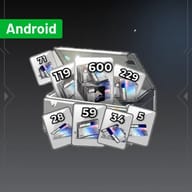
AndroidAll-In-One Standard Pack
$171.49
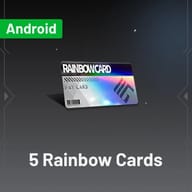
$203.92-$32.435 Rainbow Cards
$0.76
$0.99-$0.2328 Rainbow Cards
$3.77
$4.99-$1.2234 Rainbow Cards
$4.53
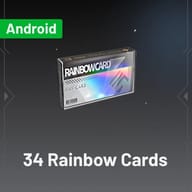
$5.99-$1.4659 Rainbow Cards
$7.56
$9.99-$2.4371 Rainbow Cards
$9.07
$11.99-$2.92119 Rainbow Cards
$15.12
$19.99-$4.87299 Rainbow Cards
$37.82
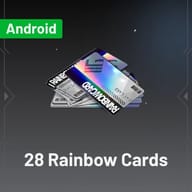
$49.99-$12.17600 Rainbow Cards
$78.99
$99.99-$21
Top-up Instructions
Enter your details carefully before checking out, Commandant. A wrong UID, server or platform can delay your PGR top-up or send your Rainbow Cards to the wrong account.
Applicable Platform
- Punishing: Gray Raven – Android
- Punishing: Gray Raven – iOS
- Punishing: Gray Raven – PC client
Note: Rainbow Card balances are kept separately for Android and iOS accounts. The PC client lets you sign in with either one, so if you picked the wrong mobile platform, log in through the PC client with that platform's account to claim and spend your Rainbow Cards.
Applicable Server
Global (International) server: Asia-Pacific, Europe and North America. Other regional versions, such as the Traditional Chinese server, are not supported.
Required Top-Up Information
- UID
- Server (Asia-Pacific, Europe or North America)
No account password is needed. Check every digit of your UID and confirm your server before payment — Rainbow Cards credited to the wrong account cannot be moved afterwards.
First top-up bonus: the in-game first top-up double Rainbow Cards bonus is kept on KeyGold orders, just as if you bought from the in-game store.
How to Find Your PGR UID
- Launch Punishing: Gray Raven and log in to your account.
- Go to the main screen.
- Your UID is shown on the main screen, as in the image below.
- Copy the UID exactly and select the matching server when placing your KeyGold order.
PGR Top Up Guide: Buy Punishing: Gray Raven Rainbow Cards for the Global Server
Planning your next Punishing: Gray Raven top-up? This guide explains what PGR Rainbow Cards (RC) are, how they convert into Black Cards (BC), where they give the most value, and how to recharge your Global server account on KeyGold.gg with only your UID and server — no password required.
What Is Punishing: Gray Raven?
Punishing: Gray Raven — PGR for short, and often spelled Punishing: Grey Raven — is a fast-paced sci-fi action RPG from Kuro Games. Earth has fallen to the Punishing Virus, humanity's survivors hold out on the orbital station Babylonia, and you lead the Gray Raven squad as its Commandant, sending cybernetic Constructs back to the surface to fight the Corrupted.
Combat is built around Matrix dodges, three-orb signal matching, character swaps and QTE chains, and the roster of Omniframes keeps growing with every patch. PGR is playable on Android, iOS and PC, with cross-platform progress, which is why its global community stays active long after launch.
What Are PGR Rainbow Cards?
Rainbow Cards are PGR's premium currency, bought with real money through the in-game store or a PGR top-up service. They pay for Monthly Passes, limited-time packs, coatings in the Rainbow Card shop, and exchanges into Black Cards for Research.
For most Commandants, a Rainbow Card recharge is the quickest way to secure a new S-Rank Omniframe before its banner ends, finish a signature weapon, or pick up a coating you have been waiting for. Packages and prices change with each version, so check the in-game store and the KeyGold product page before you order.
Rainbow Cards vs Black Cards
- Rainbow Cards (RC): paid currency for Monthly Passes, packs, coatings and Black Card exchanges.
- Black Cards (BC): earned from missions, story, events and redeem codes, or converted from Rainbow Cards at 1 RC = 10 BC. Each Research pull costs 250 BC.
Coatings in the Rainbow Card shop cannot be bought with Black Cards, so keep some RC aside if you are saving for a specific outfit. Exchange rates and shop contents can change with updates — the in-game store is always the final reference.
Best Ways to Spend PGR Rainbow Cards
- Claim the first top-up double: if a package still shows its first-purchase bonus in the store, buying it first doubles the Rainbow Cards you receive.
- Monthly Pass first: it costs a small amount of RC and pays out Black Cards over 30 days, giving most players the best value per Rainbow Card.
- Limited S-Rank banners: save your BC for new Omniframes, which usually have the biggest impact on your team.
- Target Weapon Research: pick up the signature weapon once your main damage dealer is ready.
- Small limited-time packs: the low-cost packs that rotate each patch are often better value than large one-off bundles.
- Check before you pull: look at a current PGR tier list and the banner details so your Black Cards go to a Construct you will actually use.
Free Rainbow Cards and PGR Codes
Official PGR redeem codes are worth claiming whenever they appear during livestreams, collaborations and anniversaries, and events regularly hand out Black Cards and upgrade materials. These rewards are small, though, and rarely enough to fund a limited banner on their own. If a must-have Omniframe is about to leave, a Rainbow Card top-up is the reliable way to close the gap.
Punishing: Gray Raven Beginner Tips
- Clear dailies and weeklies: they are your steadiest source of Black Cards, Commandant EXP and materials.
- Build one main damage dealer: invest fully in a single attacker before adding a Tank, Support or Amplifier around it.
- Push the main story: story progress raises your Commandant level and unlocks resource stages, Warzone and weekly content.
- Match your Memory sets: a correct four-piece plus two-piece combination beats leveling random Memories.
- Practise in Simulation modes: learn boss patterns and dodge timing there instead of burning Serum on failed runs.
Why Top Up PGR on KeyGold.gg?
First Top-Up Double Bonus Kept
Many third-party PGR top-up sites skip the first-purchase bonus. On KeyGold, your order still triggers the in-game double Rainbow Cards reward for a first top-up, so new and returning Commandants get the full value of their recharge.
KeyGold.gg handles Punishing: Gray Raven Global server top-ups for Android, iOS and PC players across Asia-Pacific, Europe and North America.
UID Top-Up, No Password
A PGR top-up only needs your UID, server and platform. You never share your login details, so your account stays fully under your control.
Pay the Way That Works in Your Country
KeyGold supports major global payment methods as well as local payment options in many countries — a practical alternative when your usual method is not accepted in the in-game store. Available options depend on your region, currency and order.
Clear Product and Server Details
Each package lists its platform, server and required information, so you can verify everything before paying.
Order Tracking and Support
Sign in to your KeyGold account after payment to follow your order status. If a UID was mistyped, the wrong server was chosen or a payment did not go through, contact support with your order number.
How to Top Up Punishing: Gray Raven on KeyGold.gg
- Open KeyGold.gg, choose your language and currency, and sign in.
- Search for "Punishing: Gray Raven" and open the top-up page.
- Choose the Rainbow Cards package, Monthly Pass or pack you need, and select Android, iOS or PC.
- Enter your UID and select your server: Asia-Pacific, Europe or North America.
- Double-check the package, platform, UID and server, then complete payment.
- Track the order in your KeyGold account, then check your in-game mail and Rainbow Card balance.
Before You Place a PGR Recharge Order
- Confirm your account is on the Global server, not the Traditional Chinese or another regional version.
- Check every digit of your UID and pick the platform you actually pay on.
- Android and iOS Rainbow Card balances are separate; the PC client can sign in to either.
- Once delivered, Rainbow Cards normally cannot be transferred to another account.
- Spotted a mistake after ordering? Contact KeyGold support with your order number right away.
More Kuro Games and Anime ARPG Top-Ups
Enjoy PGR's combat? Kuro Games' open-world follow-up is the natural next stop — a Wuthering Waves top up on KeyGold covers Mobile, PC, Steam and the Epic Games Store, so your Lunites are ready for every new Resonator banner. For elemental team building in Teyvat, a Genshin Impact top up works on every server and platform and is often cheaper than a UID top-up, while a Zenless Zone Zero top up helps you recruit Agents for New Eridu's fast-paced combat.