

Rise of Kingdoms Top Up

Rise of Kingdoms Top Up
5.02 evaluations

Invite Friends
Win more coupon rewards
Supply Depot
$7.64
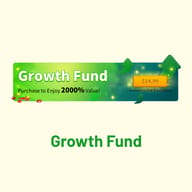
$9.99-$2.35Growth Fund
$11.47
$14.99-$3.52ANY 0.99 PACK
$0.77
$0.99-$0.23ANY 1.99 PACK
$1.53
$1.99-$0.46ANY 2.99 PACK
$2.29
$2.99-$0.7ANY 4.99 PACK
$3.83
$4.99-$1.16ANY 9.99 PACK
$7.64
$9.99-$2.35ANY 14.99 PACK
$11.47
$14.99-$3.52ANY 19.99 PACK
$15.29
$19.99-$4.7ANY 29.99 PACK
$22.94
$29.99-$7.05ANY 34.99 PACK
$26.77
$34.99-$8.22ANY 49.99 PACK
$38.24
$49.99-$11.75ANY 74.99 PACK
$57.49
$74.99-$17.5ANY 99.99 PACK
$79.99
$99.99-$20ANY 499.99 PACK
$439.99
$499.99-$60ANY 999.99 PACK
$889.99
$999.99-$110
Top-up Instructions
Applicable Platform
Rise of Kingdoms on Android and iOS. Because Gems are tied to your account, anything we deliver also shows up when you log in on the official PC version. This is a login top-up handled manually by KeyGold — not a redeem code, gift card, or UID-only recharge.
Applicable Server
International Server only. Orders placed for other regional versions of the game cannot be processed and will be arranged for a refund.
Required Information
Since ROK Gems and packs are bought directly inside your account, we need the login method your governor is linked to (Lilith account email, Google, Facebook, or Apple), the account email, its password, and the verification code sent during login. Guest accounts that are not linked to any login method cannot be topped up. Keep your mailbox handy so verification goes through without delay.
Top-Up Rewards
First-time purchase bonuses and the VIP points or extra items that come with a pack are granted by the game itself. The actual rewards and their claim rules always follow the in-game display at the time of top-up.
How to Top Up Rise of Kingdoms on KeyGold?
1. Choose Your Gems or Pack and Pay
Pick the ROK Gems amount or pack price tier you need, confirm the order, and complete payment. KeyGold supports major global payment methods as well as local payment options in many countries.
2. Send Your Account Details to Customer Service
After payment, send your login method, account email, and password to KeyGold official customer service. If you want a specific pack such as the Growth Fund or an event bundle, attach a screenshot of it from the in-game shop. Share these details only through our official customer service channel — never anywhere else.
3. Stay Available for Verification
Our team logs in and completes the purchase on your behalf. Keep the customer service window open — how quickly you reply with the verification code is usually what decides how fast the order is finished.
4. Check Your Gems In Game
Once we confirm the order is complete, log back in and check your Gems balance, VIP points, or pack rewards. If anything looks wrong, contact customer service right away so we can look into it. For extra peace of mind, you can change your password after delivery.
Important Notice
While your order is being processed, do not log in to the account on any device, including the PC version, and do not change the password. Doing so kicks our session, triggers extra verification, and delays delivery. Double-check that your details belong to the right account on the International Server — a pack delivered to the wrong account cannot be reversed.
Buy ROK Gems and Packs on KeyGold
KeyGold offers Rise of Kingdoms top-up for the international server, covering raw Gems, the Growth Fund, and in-game packs at every price tier. Pay on KeyGold, hand your login details to our official customer service, and we buy the pack inside your account while you get back to your kingdom. Whether you are a F2P governor grabbing your first Growth Fund or a big spender stacking Gems for the next KvK, this page covers what Gems do, which packs are worth it, and how to place a safe ROK top-up order.
About Rise of Kingdoms
Rise of Kingdoms is a real-time strategy game from Lilith Games, playable on mobile and on an official PC client. You take the role of a governor and grow a civilization from a single City Hall. Each historical nation comes with its own starting commander, unique unit, and combat bonuses, so your civilization choice shapes how your account develops from day one.
Day to day, you gather resources, research technology, train troops, and level up legendary commanders. All of it plays out on a huge seamless map where barbarians, rival players, and other kingdoms share the same ground. The real test is KvK (Kingdom vs Kingdom), where whole alliances fight for passes, holy sites, and territory. Commander pairings, troop tiers, and alliance coordination decide those battles far more than raw power alone.
What Are Rise of Kingdoms Gems Used For?
Gems are the premium currency of Rise of Kingdoms. Basic construction and training run on food, wood, stone, and gold, but almost every shortcut that separates a fast account from a slow one costs Gems:
- VIP level. Convert Gems into VIP points to unlock permanent buffs and a better VIP Shop — the long-term backbone of most accounts.
- Commanders. Spend Gems on the Wheel of Fortune and on chests to earn legendary commander sculptures for the commanders your marches rely on.
- Shops and upgrade items. Buy speedups, Books of Covenant for top-tier building upgrades, and discounted items from the Mysterious Merchant and VIP Shop.
- KvK and events. Pay for teleports, finish timers instantly, and fund limited events like More Than Gems, which rewards you for the Gems you spend during it.
Many experienced governors save their Gems and spend them during More Than Gems to collect the extra sculptures and speedups on top. Prices, rewards, and event rules are always subject to the in-game display.
Which Rise of Kingdoms Packs Are Worth Buying?
Buying raw Gems is rarely the best value. The packs below are the ones community spending guides rate highest, especially for low and mid spenders:
- Growth Fund. A one-time purchase that pays out a large stack of Gems as your City Hall levels up. Widely seen as the best Gems-per-dollar deal in the game.
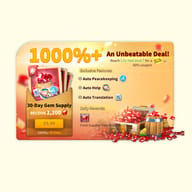
- 30-Day Gem Supply (Supply Depot). Delivers Gems every day for a month, giving active players a steady income for VIP and events.
- Writer of History. Appears when you unlock a new legendary commander and is a strong pick for building that commander quickly.
- Event and daily packs. Daily Special Offers, King's Coronation, and KvK-season bundles are best bought situationally, when their contents match what your account needs right now.
On KeyGold you can order any of these by price tier. Just send our customer service a screenshot of the pack you want, and we buy that exact pack in your account.
Why Top Up Rise of Kingdoms on KeyGold?
- Cheap ROK Gems, clear pricing. Our Gems and pack prices stay competitive against topping up in-app, with no hidden fees at checkout.
- Legit in-game purchases. We buy packs through the game's normal shop inside your account — no hacks, generators, or exploits that could put your governor at risk.
- Secure, flexible payment. Every order goes through an encrypted checkout, with major global payment methods and local payment options in many countries.
- Fast processing. Once your details and verification code are in, we start right away, so you can top up just before a KvK push or a More Than Gems window.
- Real customer support. A real person from our official customer service follows your order from payment to delivery. That chat is the only place your account details should ever go.
How to Top Up Rise of Kingdoms on KeyGold
Before ordering, make sure your ROK account is linked to a login method — a Lilith account email, Google, Facebook, or Apple. Unlinked guest accounts cannot be topped up safely. Then:
1. Choose Your Gems or Pack
Select the Gems amount or pack price tier on this page, and set your preferred language and currency. If you are after a specific pack, check that its in-game price matches the tier you order.
2. Complete Payment
Confirm your order and pay through KeyGold's secure checkout, using whichever global or local payment option is easiest in your region.
3. Send Your Login Details
Contact KeyGold official customer service with your login method, account email, password, and the verification code when asked, plus a screenshot of the pack you want. A wrong account or a wrong server is the most common reason an order fails, so check the details carefully.
4. Stay Reachable, Then Check In Game
Stay off the account while we log in and complete the purchase, and keep the chat open in case another code is needed. Once we confirm, log back in on mobile or PC to check your Gems, VIP points, or pack rewards.
How to Link Your Rise of Kingdoms Account
Linking protects your progress if you switch devices, and it is required before any login top-up:
- Tap the gear icon at the bottom left of the city view to open Settings.
- Open Account / Characters.
- Choose a login method — Lilith account email, Google, Facebook, or Apple — then sign in to that provider and confirm the link.
- Once you return to the game, your governor is signed in with the linked account, on both mobile and the PC version.
The available options can vary by device, region, and game version, so follow the in-game display if your menu looks slightly different.
Explore More Strategy Games on KeyGold
If city-building, real-time warfare, and alliance politics are what keep you logging in, KeyGold covers several other games built on the same instincts.
For clan wars and base raids, a Clash of Clans top up speeds up upgrades and war prep in Supercell's classic. There, army composition decides a raid much like commander pairing decides a rally in ROK.
If you prefer holding a base while resources run thin, try a Last War: Survival top up or a Last Asylum: Plague top up. Both run on familiar march-and-conquer mechanics, so your KvK habits carry straight over.
If commander collecting is what you enjoy most, an AFK Journey top up is the natural next stop. It also comes from Lilith Games and brings the same hero-summoning pull into an open-world RPG. Every game here uses the same KeyGold checkout and customer service.
View FAQ
Reviews & Ratings
5.0
2 evaluations
- 2026/09/01
G1786045825581
support
ANY 4.99 PACK - 2026/08/07
G1786045825581
very good
ANY 2.99 PACK
