

Gossip Harbor Top Up

Gossip Harbor Top Up
5.01 evaluations

Invite Friends
Win more coupon rewards
50 Surprise Gift Box
$22.44
$30-$7.56100 Surprise Gift Box
$37.4
$50-$12.6500 Surprise Gift Box
$78
$100-$222000 Surprise Gift Box
$218.8
$260-$41.250 Universal Gem
$22.44
$30-$7.56100 Universal Gem
$37.4
$50-$12.6500 Universal Gem
$78
$100-$222000 Universal Gem
$218.8
$260-$41.250 Smart Treasure Box
$22.44
$30-$7.56100 Smart Treasure Box
$37.4
$50-$12.6500 Smart Treasure Box
$78
$100-$222000 Smart Treasure Box
$218.8
$260-$41.2100 Gems
$1.49
$1.99-$0.5265 Gems
$3.73
$4.99-$1.26580 Gems
$7.47
$9.99-$2.521260 Gems
$14.95
$19.99-$5.043350 Gems
$29.91
$39.99-$10.087450 Gems
$77.91
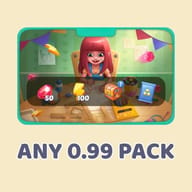
$99.9-$21.99ANY 0.99 PACK
$0.74
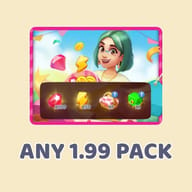
$0.99-$0.25ANY 1.99 PACK
$1.49
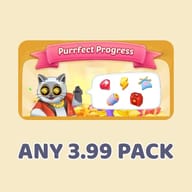
$1.99-$0.5ANY 3.99 PACK
$2.98
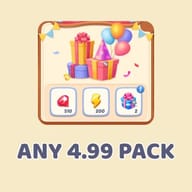
$3.99-$1.01ANY 4.99 PACK
$3.73
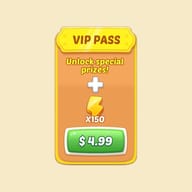
$4.99-$1.26VIP PASS
$3.73
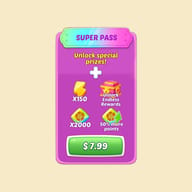
$4.99-$1.26SUPER PASS
$5.98
$7.99-$2.01



Top-up Instructions
Supported Login, Platform and Server
This Gossip Harbor: Merge & Story top up is a login top-up for the Global version on iOS and Android. Your account must be linked to Facebook or Google. Gems are added directly to your own game account, so your progress, story chapters and restaurant decorations stay exactly as they are.
Before You Order
Progress saved only on a guest account cannot be topped up. Link your game to Facebook or Google first (see the steps below), then confirm you can log in to the same Brimwave Island save on another device.
Information Required
- The Facebook or Google account linked to Gossip Harbor
- The password for that Facebook or Google account
- A verification code, if Facebook or Google asks for one during login
How to Top Up Gossip Harbor on KeyGold
- Choose the Gossip Harbor Gems package you need on this page.
- Select your login type (Facebook or Google) and enter your account details carefully.
- Pay with one of the major global payment methods or a local payment option available in your country.
- Stay reachable for a verification code if needed, then wait for the delivery notice.
While Your Order Is Processing
Please do not open Gossip Harbor or change your Facebook or Google password until the order is marked as delivered. Logging in at the same time can interrupt the session and delay your Gems.
How to Check After Delivery
Open Gossip Harbor and check the Gem counter at the top of the screen. If the balance has not updated, close the game fully and reopen it, or log out and log back in with the same Facebook or Google account.
How to Link Gossip Harbor to Facebook or Google
- Open Gossip Harbor: Merge & Story and tap the settings icon in the top-right corner.
- Select "Save Your Progress".
- Choose "Sign in with Facebook" or "Sign in with Google".
- Follow the on-screen steps to finish linking your account.
Need Help?
If anything goes wrong with your Gossip Harbor top up, contact KeyGold customer support with your order number and we will check it for you.
Buy Gossip Harbor Gems on KeyGold
Gossip Harbor: Merge & Story by Microfun puts you in Quinn Castillo's shoes on Brimwave Island. Her life is falling apart, her beach restaurant is in ruins, and someone on the island is behind it. You merge dishes, serve customers, restore the restaurant and uncover secrets one chapter at a time, with new episodes arriving every Friday.
Every merge costs Energy, and Energy is what runs out first. KeyGold's Gossip Harbor top up adds Gems straight to your own account, so you can refill your Energy bar when a story cliffhanger or a limited-time event is on the line, instead of waiting hours for it to regenerate.
Gems, Coins and Energy: What You Are Buying
Gossip Harbor has three main resources. Gems (some players call them diamonds) are the premium currency, and they are what a Gossip Harbor top up delivers.
| Resource | How You Get It | Main Use |
|---|---|---|
| Gems | Top up, event rewards, occasional gifts | Energy refills, storage, store items, timer skips |
| Energy | Slow regeneration, free energy links, Gems | Tapping generators to merge items |
| Coins | Completing customer orders | Restoring the restaurant and unlocking story |
What Gossip Harbor Gems Are Used For
- Refill your Energy bar and keep merging when you are close to finishing an order.
- Buy extra storage space so high-level items stop clogging the merge board.
- Pick up Daily Specials and other items from the in-game store.
- Skip generator cooldowns when one missing ingredient is holding up a chapter.
- Push for limited-time event rewards before the timer runs out.
Free Energy Links vs. a Gossip Harbor Top Up
Gossip Harbor has no code redemption menu. Free energy and gems come from official gift links on the game's Facebook and Instagram pages, plus daily gifts and the bubbles that appear on your board. They are worth claiming every day, but each link gives a small amount and expires quickly.
During event weeks or right after a Friday chapter drops, free energy rarely keeps up with how fast you spend it. A Gems top up fills that gap, so you can finish the event or reach the next reveal on your own schedule. Use both: claim free energy first, then spend Gems where it matters.
Why Top Up Gossip Harbor on KeyGold
- Gems and in-game store packs delivered to your own Facebook- or Google-linked account.
- Competitive prices on Gossip Harbor Gems for both casual and daily players.
- Major global payment methods, plus local payment options in many countries.
- Fast processing, with most orders completed within minutes of payment.
- Customer support if your Gems do not show up or your order needs a hand.
Tips to Get More Out of Your Gems
Save Gems for Energy During Events
The Energy refill price rises each time you buy within a day, so the first refills are the best value. Plan them for event deadlines or double-reward windows rather than everyday merging.
Merge for Orders, Not for Max Level
High-level items take a lot of Energy to build. Merging only what current customer orders need makes every Gem you spend go further.
Keep the Board Clear
A full board wastes Energy. Sell or store items you will not need soon, and use Gems on extra storage only when your board is regularly blocked.