

Lordrush Top Up
Lordrush Top Up
5.01 evaluations

Invite Friends
Win more coupon rewards
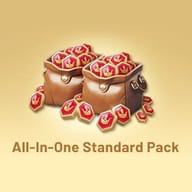
All-In-One Standard Pack
$162
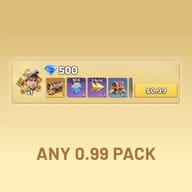
$184.95-$22.95ANY 0.99 PACK
$0.79
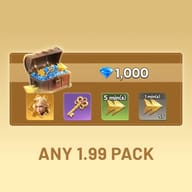
$0.99-$0.2ANY 1.99 PACK
$1.58
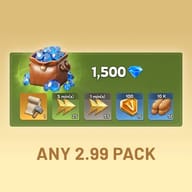
$1.99-$0.41ANY 2.99 PACK
$2.37
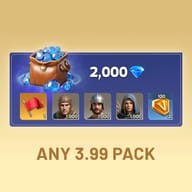
$2.99-$0.62ANY 3.99 PACK
$3.16
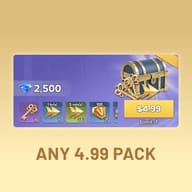
$3.99-$0.83ANY 4.99 PACK
$3.95
$4.99-$1.04ANY 9.99 PACK
$7.9
$9.99-$2.09ANY 9.99 PACK
$7.9
$9.99-$2.09ANY 19.99 PACK
$15.8
$19.99-$4.19ANY 49.99 PACK
$39.52
$49.99-$10.47ANY 99.99 PACK
$82.99
$99.99-$17ANY 299.99 PACK
$268.99
$299.99-$31ANY 499.99 PACK
$454.99
$499.99-$45ANY 999.99 PACK
$919.99
$999.99-$80

Top-up Instructions
KeyGold handles your Lordrush top up by buying Empire Stars and in-game packs directly inside your account, for less than the in-game store charges. Because we purchase from your own shop, we can reach what a UID top-up never can: your first-purchase offer, Monthly Cards, VIP packs and the personalized bundles that only show up on your account.
This is a login top-up. We sign in to your Lordrush account to make the purchase, so we need the Google or Facebook login you play with. That is what lets us buy any pack in your shop instead of a fixed Empire Star amount. Not comfortable sharing a login? Message live chat before you order and we will walk you through your options.
| Top-up method | Login top-up — we buy inside your account |
| What you provide | Login method (Google or Facebook), account and password, Lord ID |
| For a specific pack | A screenshot of the pack plus its exact in-game name |
| What we can buy | Empire Stars, first-purchase and growth packs, weekly and Monthly Cards, VIP packs, event bundles, personalized offers |
| Platform | iOS and Android |
| Server | Global — all servers, any generation |
| Delivery | Usually 5–30 minutes after we receive your details |
| Support | 24/7 live chat with a real person |
What to Have Ready Before You Order
- Your login method — Google or Facebook, whichever you actually open Lordrush with. Playing as a guest? Bind the account to Google or Facebook in the game's account settings first, since a guest account cannot be opened from another device.
- The account and password for that login, plus your Lord ID, so we can confirm we are on the right account before buying anything.
- For a specific pack: a screenshot and the exact name shown in game. Packs sitting side by side in the shop often look almost identical but hold completely different rewards.
Stay reachable after you pay. Google and Facebook sometimes send a verification prompt when we sign in from a new device, and your order waits until you pass the code along. Send it only through this order's chat, never anywhere else.
How to Find Your Lord ID
- Open Lordrush.
- Tap your avatar in the top-left corner to open your profile.
- Your ID is at the bottom of the profile panel. Take a screenshot instead of typing it out — one wrong digit is the most common reason an order gets delayed.
How to Top Up Lordrush on KeyGold
- Pick the Empire Stars amount or pack you want and tap Top Up Now.
- Complete payment. We support major global payment methods plus local options in many countries.
- Send your login details in the order chat, plus the pack screenshot and name if you want a specific bundle.
- We sign in, make the purchase, sign out and clear the login history. Once you get our notification, log back in and check your account.
How Long Does Delivery Take?
Most orders are done in 5 to 30 minutes. The clock starts when you send your details, not when you pay. It can take longer if a verification prompt comes up and we are waiting on your code, or in the first hours of a big event when the queue is busy.
Keeping Your Account Safe
- Stay logged out while your order is processing. Logging in mid-order kicks our session and delays delivery.
- Share verification codes only in this order's chat. No one legitimate will ask for a code anywhere else, and no one should ever ask for your card details.
- Change your password after delivery. We sign out and clear the login history on our end, and a new password closes the loop for good.
Paying in a currency other than your own? Your bank may add a conversion fee — that comes from them, not from us. If the pack you want is on a countdown, message us in chat before paying so we can confirm we will get it in time.
Lordrush Top Up: Cheap Empire Stars & Packs
KeyGold tops up Empire Stars and any pack in your Lordrush shop for less than the in-game price. Because we buy from inside your account, we can get you the things a UID top-up cannot: your first-purchase offer, Monthly Cards, VIP packs and the event bundles that only exist in your own store.
Why Lords Top Up Lordrush With KeyGold
- You pay less than the in-game store charges, for the same items on the same account.
- Any pack, not just Empire Stars. Send a screenshot of what is in your shop and we buy that exact bundle, including offers that never appear on a fixed product list.
- Every reward still counts. The purchase happens in your own account, so first-purchase rewards, VIP points, recharge events and event progress all credit exactly as if you had paid full price yourself.
- We sign out and clear the login history after every purchase.
- 24/7 live chat with a real person, before and after you order.
Empire Stars vs Gems: What's the Difference?
This trips up a lot of new Lords, because in most strategy games Gems are what you pay for. Not in Lordrush. Gems are earned by playing — quests, events, alliance activity, chests — and work like any other resource. You spend them on speed-ups, recruitment and day-to-day upkeep. What you cannot do is buy anything from the store with them.
Empire Stars are the premium currency — the real-money balance used in the official store, and the only thing gift packs, Monthly Cards, hero content, skins and seasonal bundles are priced in. The math is simple: 1 Empire Star equals 1 US cent, so $1 gets you 100 Stars and $4.99 gets you 499.
The two are not tiers of the same thing, and no amount of Gems converts into Stars. Farming Gems keeps your queues moving; Stars unlock the store. Empire Stars are also tied to the account that bought them and cannot be transferred, which is why a Lordrush top up has to happen on your own Lord ID.
Best Lordrush Packs to Buy First
The rule from every Century Games strategy title applies here: buy permanent value before flashy bundles. For most low spenders, a sensible order looks like this:
- The first-purchase offer. On a new account it is one of the strongest deals in the game, and it brings Valky, a Legendary infantry hero who ranks near the top on Gen 1 servers.
- Permanent unlocks. An extra build queue, march slot or capacity upgrade removes a bottleneck for as long as you play. A pile of speed-ups does little for a base with nothing queued.
- The Monthly Card, if you log in every day. It pays out across the whole month, so a card you forget to claim is not a deal.
- Event bundles, hero gear and skins last. They are the fun purchases, not the ones that change how fast your account grows.
Keep VIP in mind as you go. Every top-up feeds your VIP level, and Sebastian — one of the strongest Gen 1 heroes — is tied to the VIP system, so building him properly takes a high VIP level. Decide early whether you are going for him, because it changes which packs make sense.
Spend for Your Server Generation
Every Lordrush tier list comes with the same warning: the best hero depends on how old your server is. Servers younger than about 40 days are Generation 1. Gen 2 heroes arrive around day 40, and newer generations keep rolling in as the server ages, usually after a few Lucky Wheel cycles. Each new generation tends to outclass the last.
That should shape where your Empire Stars go. Isabella is free from the 7-day login event, so you do not need to pay for an early cavalry carry. Avoid sinking Stars into epics you will bench by Gen 2, and favor heroes whose passives keep paying off in Expedition — construction, healing speed, resource income — long after they leave your main march. Spending that survives the next generation is spending that pays off.
Custom Packs: Send Us a Screenshot
Not every Lordrush offer appears on a product list. Event bundles rotate, some packs are priced and stocked per account, and the best ones often run for 48 hours and disappear. That is exactly what a login top-up is for.
Want a bundle you cannot find here — a $49.99 gift pack, a seasonal offer, anything in your own shop? Send live chat a screenshot and the exact pack name. We will quote it and buy that one. Give us a little lead time if it is on a countdown.
About Lordrush
Lordrush is a medieval tower defense strategy game from Century Games, the studio behind Kingshot and Whiteout Survival. It launched globally in July 2026 on iOS and Android, and many players also run it on PC through an Android emulator. You start with a ruined fortress and rebuild it: gathering wood, stone and iron, raising walls, placing and upgrading towers, and recruiting infantry, cavalry and archer heroes to hold the line as sieges get heavier.
Beyond the walls is what keeps accounts playing: Conquest battles, Expedition across the map, Arena lineups, alliances and server-wide competition. Progress runs on build queues, march slots and hero strength, and the competitive side consistently rewards the Lords who cleared their bottlenecks early. That is why the order you spend in matters more than any single flashy bundle.