

Pokémon GO Top Up – Buy PokéCoins

Pokémon GO Top Up – Buy PokéCoins
5.01 evaluations

Invite Friends
Win more coupon rewards
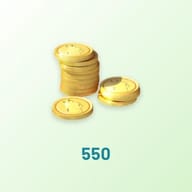
550 PokéCoins
$1.95
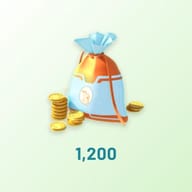
$4.99-$3.031200 PokéCoins
$3.74
$9.99-$6.252500 PokéCoins
$7.48
$19.99-$12.515200 PokéCoins
$14.96
$39.99-$25.0314500 PokéCoins
$33.15
$99.99-$66.84
Top-up Instructions
How This Pokémon GO Top Up Works
This is a login top-up. Once your payment is confirmed, our agent signs in to your account on the official Pokémon GO Web Store and buys the PokéCoins for you. The coins go straight to your Trainer account — no code to redeem, nothing to install, and you receive whatever Web Store bonus coins are showing at the time of purchase.
Supported Login Methods
We can top up Pokémon GO accounts that sign in with:
- Google account
- Facebook account
- Pokémon Trainer Club (now called Pokémon Trainer Central)
Sign in with Apple accounts can't be processed by our service. If Apple is your only login, open Settings in Pokémon GO, go to Account and link a Google, Facebook or Pokémon Trainer Central login first — your Trainer progress stays exactly the same.
Child accounts (Niantic Kids or a PTC child account) cannot make purchases on the official Web Store, so they can't be topped up.
What You Need to Provide
- Login method — Google, Facebook or Pokémon Trainer Central
- Account — your email address or PTC username
- Password
- Trainer nickname — the name shown on your in-game Trainer profile. Your PTC username is not always the same as your Trainer nickname, so please check it in the app.
Step by Step
- Pick your PokéCoins bundle and complete payment.
- Enter your login method, account, password and Trainer nickname on the order form.
- Our agent confirms your Trainer nickname, signs in to the official Web Store and completes the purchase. If your account asks for a verification code, the agent will request it from you in live chat.
- Your order is marked complete and a confirmation email is sent. Reopen Pokémon GO to see your new PokéCoin balance — if it hasn't refreshed, fully close and restart the app.
Delivery Time
Most orders are delivered within 5–30 minutes. On Community Day weekends, during GO Fest or other peak periods it can take a little longer, and our support team will keep you updated in live chat.
Keeping Your Account Safe
- Your login details are used for one thing only: buying the PokéCoins you ordered. We never change in-game settings, spend your existing coins or touch your items and Pokémon.
- You can keep two-step verification switched on. Just stay reachable in live chat for a few minutes after ordering so you can pass the code to our agent.
- We recommend changing your password once your order is delivered.
Before You Order
- Double-check your account and password — wrong details are the most common cause of delays.
- Don't change your password or sign in to the Web Store yourself while the order is in progress. Overlapping logins can interrupt the top-up.
- Web Store bonus PokéCoins are set by the official store and change with its promotions, so the exact bonus amount can't be guaranteed.
- PokéCoins can't be moved between accounts, and completed orders are non-refundable.
Pokémon GO Top Up: Your Guide to Buying PokéCoins
PokéCoins — or Poke Coins, as most of us type them — are the premium currency of Pokémon GO. They're the difference between watching a Legendary Raid from the sidelines and actually joining it. Whether you're stocking up on Remote Raid Passes, stacking Lucky Eggs before Community Day, or finally fixing the bag space you've been short on since 2016, a Pokémon GO top up is the fastest way to get there.
Below you'll find what PokéCoins buy, how the free earning cap really works, how the official Web Store compares with the in-app shop, and how to get cheap PokéCoins at KeyGold without the usual workarounds.
About Pokémon GO
Pokémon GO is the free-to-play augmented reality game that turned the whole planet into a game map. It launched in 2016 under Niantic and has been run by Scopely, together with The Pokémon Company, since 2025. Wherever you walk in real life is where you walk in the game.
The loop is simple and hard to put down: catch wild Pokémon, spin PokéStops for supplies, hatch Eggs as you walk, battle at Gyms, and team up for Raids and Max Battles locally or remotely. Location shapes everything — coastlines and lakes favour Water types, parks lean Grass and Bug, and live weather boosts certain spawns on top of that.
Every few months a new Season brings fresh research, new Raid bosses and boosted spawns. PokéCoins don't replace the "get outside and play" part of the game. They just remove the friction from it.
What Can You Buy with PokéCoins?
PokéCoins are spent in the in-game Shop. They never drop from catching or battling, which is exactly why they're worth planning around:
- Raid access — Premium Battle Passes and Remote Raid Passes, so you can raid more than once a day or join a Raid across town.
- Progress boosters — Lucky Eggs for double XP, Star Pieces for extra Stardust, and Incense and Lure Modules to bring Pokémon to you.
- Egg hatching — extra Incubators and Super Incubators to hatch several Eggs per walk.
- Max Battle supplies — Max Particle Packs for Dynamax and Gigantamax battles.
- Everyday items — Poké Balls, Max Potions and Max Revives for when PokéStops can't keep up on a busy raid day.
- Permanent upgrades — Bag Upgrades and Pokémon Storage Upgrades, the one purchase you never make twice.
- Event boxes — limited bundles of Passes, Incubators and Incense, usually far better value than buying each item separately.
- Style and extras — Trainer outfits, plus the Team Medallion for switching teams once every 365 days.
How to Get PokéCoins: Free vs. Paid
Free PokéCoins from Gyms
The one reliable free source is defending Gyms. A Pokémon defending a Gym for your team earns 1 PokéCoin every 10 minutes, but you only get paid when it's knocked out and returns to you. A defender that holds for a week still pays nothing until it falls.
There's also a hard ceiling: 50 PokéCoins per day, maximum. Hitting it takes about 8 hours and 20 minutes of total defending time, and anything earned beyond the cap is simply lost. Some monthly GO Pass tracks and Special Research hand out a few extra coins, but they come and go with the calendar.
Put the 50-coin daily limit next to real Shop prices and the gap is obvious:
| What you want | Cost | Days of free earning |
|---|---|---|
| Premium Battle Pass | 100 coins | 2 days at the cap |
| Bag or Storage Upgrade | 200 coins | 4 days at the cap |
| Team Medallion | 1,000 coins | 20 days at the cap |
Buying PokéCoins: Web Store vs. In-App Shop
You can buy PokéCoins in the in-app Shop through Google Play or the App Store, or on the official Pokémon GO Web Store in a browser. KeyGold always uses the Web Store, and here's why:
| Official Web Store | In-app Shop | |
|---|---|---|
| Bonus PokéCoins | Extra coins on standard bundles, sometimes doubled during sales | Base amount only |
| Reward Road points | Double points | Standard points |
| Exclusive bundles | Web-only boxes for major events | Standard Shop boxes |
| Where coins land | Straight to your game account | Straight to your game account |
When you top up through KeyGold, our agent completes the purchase on the Web Store for you. You get the official route and its bonus coins, without regional payment restrictions or app store balance top-ups.
Cheap PokéCoins Without a VPN
Search for "Pokémon GO coins cheapest country" and you'll find guides telling you to connect a VPN to another region's Web Store. In practice that means hunting for a VPN server the store won't flag, paying in a foreign currency and risking a declined card — all for one order.
KeyGold keeps it simple. You pay a discounted price in your own currency, we handle the purchase on the official Web Store, and your account never has to pretend to be somewhere else.
When Trainers Need PokéCoins Most
Coin demand in Pokémon GO spikes around a handful of moments in the calendar:
- Community Day — a few hours, one featured Pokémon and an exclusive move that disappears afterwards. Lucky Eggs and Incense turn that window into a month's progress.
- Raid Hour and raid weekends — one free Pass a day doesn't go far when the Legendary you've waited all Season for is finally in rotation.
- GO Fest and Wild Area events — back-to-back raids, special encounters and event-only rewards. Bag space and Passes run out faster here than anywhere else.
- Spotlight Hour — one hour of boosted Candy or XP. Cheap to make the most of, easy to waste if you're out of Incense.
- Limited event boxes — often the best value in the Shop, and gone when the event ends.
The common thread is timing. Top up the day before, and when Raid Hour starts you're tapping "Battle" instead of fixing a payment error.
Why Buy PokéCoins at KeyGold?
- Better value than the app store — discounted rates and seasonal promotions, plus the official Web Store bonus coins on top.
- Delivered in 5–30 minutes — handled by a real agent, with a confirmation email the moment your order is done.
- Official channel only — every purchase goes through the official Pokémon GO Web Store. No third-party tools, no modified apps, no region tricks.
- Secure by default — site-wide HTTPS encryption and strict internal data handling protect your payment and login details.
- 24/7 live support — real people at any hour. Open the chat window at the bottom right of the page.
- Built for Trainers everywhere — 11 site languages, all major global payment methods, and local payment options across many countries.
More Games to Top Up at KeyGold
Pokémon GO is rarely the only game on a collector's phone. Two more we top up the same way:
- Pokémon TCG Pocket top up — Poké Gold for more booster packs, immersive art rares and a fuller digital binder.
- Honkai: Star Rail top up — Oneiric Shards for five-star characters and Light Cones in HoYoverse's turn-based RPG.