

Sword x Staff Top Up

Sword x Staff Top Up
5.01 evaluations

Invite Friends
Win more coupon rewards
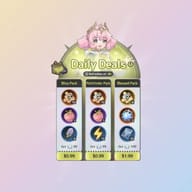
Daily Deals All-In-One
$2.29
$2.99-$0.7Monthly Pass
$3.83
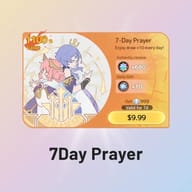
$4.99-$1.167-Day Prayer
$7.64
$9.99-$2.3560 Luminium
$0.77
$0.99-$0.23300 Luminium
$3.83
$4.99-$1.16980 Luminium
$11.47
$14.99-$3.521980 Luminium
$22.94
$29.99-$7.053280 Luminium
$38.24
$49.99-$11.756480 Luminium
$79.99
$99.99-$20ANY 0.99 PACK
$0.77
$0.99-$0.23ANY 1.99 PACK
$1.53
$1.99-$0.46ANY 2.99 PACK
$2.29
$2.99-$0.7ANY 4.99 PACK
$3.82
$4.99-$1.17ANY 9.99 PACK
$7.64
$9.99-$2.35ANY 14.99 PACK
$11.47
$14.99-$3.52ANY 19.99 PACK
$15.29
$19.99-$4.7ANY 29.99 PACK
$22.94
$29.99-$7.05ANY 49.99 PACK
$38.24
$49.99-$11.75ANY 99.99 PACK
$79.99
$99.99-$20

















Related Games






Top-up Instructions
This is a login top-up for Sword x Staff. After checkout, our team signs in to your account and buys your Vouchers or Luminium directly in the official in-game store — so first-purchase Dawnium and top-up event rewards land exactly as if you had paid yourself.
Supported Platforms & Servers
- Platform: iOS and Android, including players on PC through an emulator such as BlueStacks
- Server: all Sword x Staff servers are accepted — just tell us which one your character is on
- Items covered: Luminium and Vouchers
Supported Login Methods
- Google account
- Facebook account
Guest accounts and Apple ID logins can't be processed. Link a Google or Facebook account to your character in the game settings first, then place your order.
What You Need to Provide
- Login method — Google or Facebook
- The email or username for that login
- The password
- Your server and character name, so we know we're on the right character
Send these through our on-site live chat after you order — never in the order notes or through any other app.
How It Works
- Pick your Luminium or Voucher package and complete payment.
- Send your login details in our on-site live chat.
- Stay logged out while we sign in and buy the package in the in-game store.
- We confirm in chat and log out right away. Log back in, check your balance, and change your password.
Delivery Time
Most orders are done within 5–30 minutes. Server maintenance, busy event periods or extra account verification can take longer — if that happens, we'll keep you posted in chat instead of leaving your order silent.
Check Before You Order
- Open the in-game store and see whether the Luminium package you want still shows the "First-Time" tag — that tag decides whether you get the bonus Dawnium.
- Double-check your server and character name, especially if you have characters on more than one server.
- Make sure your Google or Facebook account is already linked to the character you want topped up.
Luminium First-Time Bonus
Every Luminium package has a one-time first-purchase bonus: the first time you buy that package, you also get the same amount of Dawnium. The bonus comes from the game and is limited to once per package, per account.
If you've already bought a package before, that package only gives its base amount. This is the game's own rule, not a shortfall on our side, and a used bonus can't be restored or refunded — so please check the store tag first.
| Luminium Package | First-Time Bonus |
|---|---|
| 60 Luminium | +60 Dawnium |
| 300 Luminium | +300 Dawnium |
| 980 Luminium | +980 Dawnium |
| 1980 Luminium | +1980 Dawnium |
| 3280 Luminium | +3280 Dawnium |
| 6480 Luminium | +6480 Dawnium |
Voucher packages work differently: their extra Vouchers are a fixed bonus rather than first-purchase only, so you get them on every top-up.
Account Safety
- Don't log into the game while we're working on your order. Logging in at the same time kicks our session out and interrupts the top-up.
- Google and Facebook usually send a security code when someone signs in from a new device. Keep your phone and inbox handy and forward any code to us within 5 minutes — expired codes mean starting verification over.
- Your login is used only for this order. We don't change your settings, spend your existing currency or touch your gear, relics or companions.
- We recommend changing your password once you've confirmed the top-up.
- We only talk to you through our on-site live chat. KeyGold staff will never ask for your login on Discord, WhatsApp or any other app — anyone who does is an impersonator.
Notes
- Digital items can't be returned once the top-up goes through, so completed orders are non-refundable.
- If we can't complete the top-up because of wrong details, a wrong password or failed verification, we'll contact you to fix the details or arrange a refund.
- Check your balance as soon as the order is marked complete, and contact us within 24 hours if anything looks off.
Cheap Sword x Staff Top Up for Vouchers & Luminium
Looking for a cheaper way to top up Sword x Staff? KeyGold buys Vouchers and Luminium for you in the official in-game store, at prices below in-app checkout. Google and Facebook logins are supported, most orders are done in 5–30 minutes, and real people look after your order in live chat from start to finish.
What Is Sword x Staff?
Sword x Staff (SxS for short) is a fantasy idle RPG from BOLTRAY GAMES, released worldwide on iOS and Android on May 19, 2026. Boltray calls it a "Third Way RPG": real build strategy, a big world to explore and idle progression in one game, so you can grind hard or just check in for a few minutes a day.
You play the Chosen Adventurer summoned to the continent of Kanstein, teaming up with the Sword and Staff Twins to cut through the fog, dig up lost treasure, recruit companions and take down the legendary Hieromons. Since launch the game has kept adding new seasons, higher class tiers and crossover events — including the KONOSUBA collab that brought Aqua, Megumin and Darkness in as companions.
Sword x Staff Gameplay Highlights
200+ Skills From a Simple Sword-or-Staff Start
Every account starts with one choice — Sword (Warrior) or Staff (Mage) — and opens up into more than 200 skills you can mix freely. Upgrades are tied to the skill slot, not the skill itself, so a new skill dropped into a leveled slot keeps that level. Trying a new build costs you nothing.
Class Promotions and Reclassing
Each path promotes through tiers. Warriors become Duelists or Knights, then Berserkers or Paladins; Mages become Sorcerers or Sages, then Archmages or Arcanists. New tiers arrive with each season, which is why the best class in any Sword x Staff tier list keeps shifting. Picked wrong? You can change class later at Aqualis without losing progress.
Smart Auto-Battle on a Grid
Fights play out on a grid where your character moves, dodges and casts on its own. Winning comes down to your build and Combat Power rather than reflexes — so gear, relics and resources matter more here than in action RPGs.
A World Map Worth Exploring
Travel from the forests of Verdantglade to the machines and wilds of Cinder Ridge, the misty waters of Aqualis and the bronze ruins of Loong Haven. Clearing fog uncovers Goddess Statues that give permanent boosts to idle income, EXP and combat stats — always worth grabbing early.
Progress That Keeps Running Offline
Resources keep stacking up while you're away, and the Traveling Merchant shows up with rare goods. Log back in, collect, and keep pushing.
Sword x Staff Currencies: Vouchers, Luminium and Dawnium
Three premium currencies, three different jobs. Knowing which is which before you top up is the easiest way not to waste money.
| Currency | Free to earn? | What it's for |
|---|---|---|
| Vouchers | No — top-up only | Works like store credit for packs, passes and bundles in the in-game store |
| Luminium | No — can't be farmed | Premium bundles and high-end purchases; converts to Dawnium 1:1 (one way only) |
| Dawnium | Yes — around 100 a day | Extra dungeon runs, shop refreshes, merchants, guild donations and account upgrades |
In short: Vouchers for store packs, Luminium for premium value, Dawnium for everyday progress. Skill pulls at the Goddess Statue use a separate currency, Stellatie, which you can earn in-game or buy with Dawnium.
Can You Get Luminium or Dawnium for Free?
Luminium: no. It's paid-only. Guides that talk about "farming Luminium" are almost always mixing it up with Dawnium. The only ways to get it are the official in-game store (paid through the App Store or Google Play) or a top-up service like KeyGold, which buys it in that same store for less.
Dawnium: yes, slowly. Daily missions, Daily Dungeons, Material Realms, guild activities, Arena tasks and events all pay out, which adds up to roughly 100 a day for free-to-play accounts. Sword x Staff codes help too, but they hand out Dawnium, Stellatie and similar rewards — never Vouchers or Luminium.
The catch is that dungeon refreshes, shop refreshes and later-season upgrades cost far more than F2P income covers. That's why spenders convert Luminium into Dawnium — and why each package's first-purchase bonus, which adds the same amount of Dawnium on top, is the best value in the store.
Vouchers or Luminium: Which Should You Buy?
It depends on what's holding your account back:
- Buy Vouchers if you're after specific store packs, passes or bundles. Their bonus Vouchers apply on every top-up, so value stays predictable.
- Buy Luminium if Dawnium is your bottleneck — or if you still have unused first-time bonuses. Buying each untouched tier once effectively doubles what you get.
Why Top Up Sword x Staff at KeyGold?
Lower Prices Than In-Game Checkout
The App Store and Google Play both take a cut of every in-game purchase. We source through different channels and pass the savings on, so the same Vouchers or Luminium cost you less — and the gap grows with bigger packages.
Real Purchases, Bonuses Included
We buy directly in the game's own store on your account, usually within 5–30 minutes. Because it's a genuine in-store purchase, first-purchase Dawnium and top-up event rewards land just as they would if you paid yourself.
Every Server, Phone or Emulator
iPhone, Android, or Sword x Staff on PC through BlueStacks — if you log in with Google or Facebook, we can top it up. Just tell us your server and character name.
24/7 Human Support
No chatbot. Real people handle verification codes, account questions and delivery confirmation in real time — which matters when a login code expires in five minutes.
Global and Local Payment Options
KeyGold supports mainstream global payment methods plus local options in many countries, with multi-currency checkout and no regional restrictions.
Your Login Stays Private
Login details are shared only in our on-site chat and used for that one order. We log out as soon as the top-up is done, and recommend changing your password afterwards.
How to Top Up Sword x Staff on KeyGold
- Open the Sword x Staff top-up page on KeyGold.gg and choose your currency.
- Pick the Voucher or Luminium package you want.
- Choose a payment method and check out.
- Send your login method, account, password, server and character name in our on-site live chat.
- Stay logged out while we work, and forward any verification code within 5 minutes.
- Once we confirm, log back in, check your balance and change your password.
More Idle and Fantasy RPG Top-Ups
If you like Sword x Staff's mix of build-crafting and long-term account growth, these games scratch the same itch — and we handle login top-ups for all of them:
- AFK Journey top up — the closest match if you love idle progress that keeps paying out offline. Dragon Crystals cover pulls and growth packs across Esperia.
- The Seven Deadly Sins: Origin top up — an open-world anime RPG on PC and mobile, with Star Memory for summons and roster building.
- Wuthering Waves top up — the same character investment with hands-on action combat. Lunites and the Lunite Subscription are the main spend.
Every one runs the same way as this page: real purchases in the official store, 24/7 live chat support and prices below in-game checkout.