PUBG MOBILE Top Up
 100% Safe Transaction
 24/7 Support
 Full Refund Guarantee
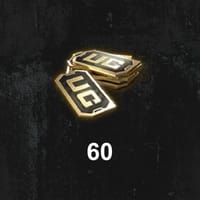
- 60 UC
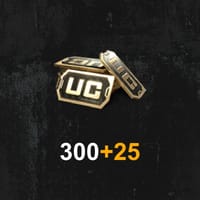
- 300+25 UC
- 600+60 UC
- 1500+300 UC
- 3000+850 UC
- 6000+2100 UC

Top-up Instructions
Top up PUBG MOBILE UC on KeyGold to unlock permanent outfits, vehicle skins, weapon skins, and the Royale Pass. UC is delivered straight to your game account using only your Player UID — no password, no account login, no risk to your account. Most orders are completed within minutes.
PUBG MOBILE Top-Up Information
| Applicable Platform | PUBG MOBILE — mobile devices (iOS / Android) |
|---|---|
| Supported Server | PUBG MOBILE Global Version Not supported: Japan, Korea, Vietnam, and Taiwan servers |
| Required Information | PUBG MOBILE UID |
| Delivery Time | Usually within 5 minutes |
Please double-check your UID and server before placing an order. Incorrect information may delay your delivery, and UC sent to a wrong UID cannot be recovered.
PUBG MOBILE Top-Up Result
Once your order is completed, the UC is credited directly to your PUBG MOBILE account. Log in to the game and open your in-game mailbox to claim and confirm your UC.
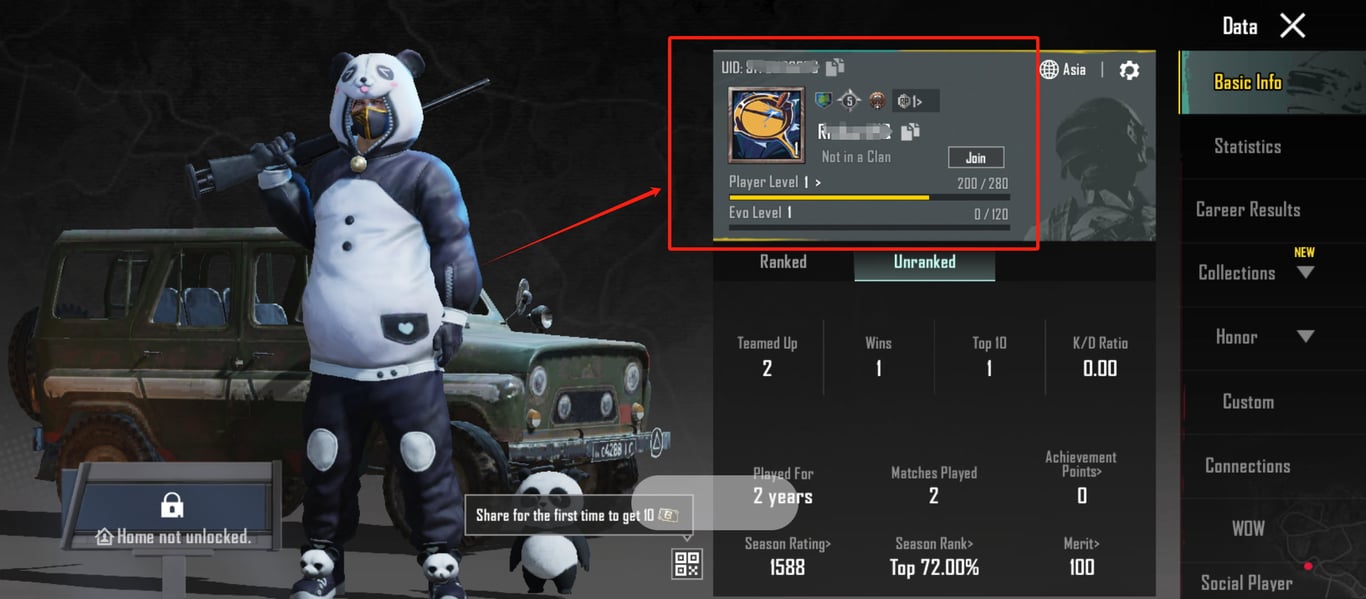
How to Find Your PUBG MOBILE UID
- Log in to PUBG MOBILE.
- Tap your profile icon in the top-left corner of the lobby.
- Your character name and UID are shown on the profile page — copy the UID exactly as displayed.
Buy PUBG MOBILE UC Top Up — Fast, Safe, and Global
KeyGold is a trusted global platform for PUBG MOBILE UC top up. Choose your package, enter your Player UID, and your UC is credited straight to your game account — no password, no account handover, no risk. Most PUBG UC recharge orders are completed within minutes, at prices that beat what you would normally pay in the in-game store.
What Is PUBG MOBILE UC?
UC (Unknown Cash) is the only premium currency in PUBG MOBILE. Everything behind the paywall runs on it — the Royale Pass, crate keys, character and weapon skins, emotes, and the limited-time bundles that rotate through the shop. You cannot earn meaningful amounts of UC through normal play, which is why a regular PUBG MOBILE recharge is the practical way to keep up with each season's content.
What Can You Buy with PUBG MOBILE UC?
- Royale Pass — the seasonal pass with tiered missions and exclusive outfits, gun skins, and emotes that free players never see.
- Character and weapon skins — from cheap recolors to full legendary sets with upgrade levels and kill effects.
- Crate keys — open premium crates for a shot at rare and legendary items.
- Vehicle skins, parachutes, and emotes — cosmetics that make you recognisable in the lobby and on the battlefield.
- Limited-time bundles — packaged items offered at a discount during events and collaborations.
How to Get UC in PUBG MOBILE
There are three realistic options. You can buy UC directly in the in-game store, collect small amounts from occasional in-game events, or buy PUBG MOBILE UC through a recharge marketplace such as KeyGold. The third route is what most regular players use: the same UC lands in the same account, but with more package sizes, frequent promotions, and a better PUBG MOBILE UC price than the store default.
How to Top Up PUBG MOBILE UC on KeyGold
- Set your preferred language and currency at the top of the page.
- Sign in to your KeyGold account, or create one in a few seconds.
- Open Top-Up → PUBG MOBILE and enter your PUBG MOBILE UID.
- Select the UC package you want.
- Click Top-Up Now and choose your payment method.
- Complete the payment — your UC arrives in your in-game mailbox.
How Long Does a PUBG MOBILE Top Up Take?
Most orders are delivered within 5 minutes of payment confirmation. Larger packages or manual review on a first order can take slightly longer, and our support team will keep you updated if anything needs checking.
What You Need Before You Top Up
Only your PUBG MOBILE UID and the correct server. We never ask for your game password, verification code, or account login — the entire PUBG UC top up is completed through official channels using your UID alone. Confirm the UID before paying, as UC delivered to a wrong ID cannot be recovered.
Why Choose KeyGold for PUBG MOBILE UC Top Up
Competitive PUBG MOBILE UC Price
We track exchange rates and update pricing regularly, and run frequent promotions on top. For budget-conscious players, that means more UC for the same spend compared with buying in-game.
Instant Delivery Through Your UID
Direct top-up means no waiting for a code and no third-party seller. UC is credited to your account through official channels, usually in under 5 minutes.
Secure Payment and Global Coverage
KeyGold supports all major global payment methods as well as local payment options across many countries, so players worldwide can complete a PUBG MOBILE top up global order in their own currency. Every transaction is processed over encrypted channels, and we only perform the steps required to deliver your UC — nothing in your game account is modified.
24/7 Customer Support
Live chat and email support are available around the clock for order tracking, UID questions, or anything that goes wrong mid-order. If a top-up cannot be delivered, you get a refund.
About PUBG MOBILE
PUBG MOBILE is Tencent's free-to-play tactical battle royale, developed by Lightspeed & Quantum Studio. Up to 100 players parachute onto a map, scavenge for weapons, armour, and supplies, and fight to be the last one standing as the safe zone closes in.
Beyond Classic Battle Royale, the game offers Team Deathmatch, Payload, Arcade, and the extraction-style Metro Royale, played across maps including Erangel, Miramar, Sanhok, Vikendi, and Livik. New seasons land every few weeks with weapon balance changes, fresh vehicles, and a new Royale Pass — which is where most players spend their UC.
Explore More Shooter Games on KeyGold
If Metro Royale's high-stakes looting is what keeps you playing, the extraction shooters are the natural next step — try an Arena Breakout top up or a Delta Force top up to gear up faster in hardcore raids where every piece of equipment you carry in is on the line.
For something faster between Classic matches, a Blood Strike top up gets you into quick-respawn combat with fluid movement, while a Free Fire top up unlocks shorter matches and character abilities. All available on KeyGold with the same instant delivery and pricing.
PUBG MOBILE UC Top Up FAQ
How much does UC cost in PUBG MOBILE?
UC pricing moves with exchange rates, so we refresh it regularly. Current prices for every package are shown on this page — select your currency at the top to see them in your local terms.
Is it safe to buy PUBG UC on KeyGold?
Yes. We top up UC directly through your UID via official channels, so you never share your password or hand over your account. There is no login on our side and nothing for the game to flag.
How quickly will I receive my UC?
Most orders go through within 5 minutes. Once delivered, the UC appears in your in-game mailbox — open it and the balance is added to your account.
Can I top up from any country?
Yes. KeyGold serves players worldwide, as long as your account is on the PUBG MOBILE Global Version. Japan, Korea, Vietnam, and Taiwan servers are not supported at this time.
Why was my PUBG UC order returned?
Almost always an incorrect Player ID or a server mismatch. Double-check the UID on your in-game profile page and try again. If the order still fails, contact support and your payment will be refunded.